Stop opening tabs.
Start finishing things.
Worked all day and can't say what you actually finished? Tempo puts a Pomodoro timer, reminders and a board right inside Chrome. One click and you're in focus. One ring and you truly switch off.
The problem isn't that you work too little.
It's that you work in pieces.
You open Chrome for one thing.
Forty minutes later you have 23 tabs open and that one thing is still sitting there, undone.
Your to-dos are everywhere.
A sticky note on the monitor, a note on your phone, three reminders in your head. Something always slips.
You take breaks, but you don't rest.
Five minutes of scrolling isn't a break. You come back more tired than before.
Tempo doesn't ask you to work more.
It helps you work one piece at a time.
One extension.
Zero scattered apps.
Timer, reminders, board and stats live in one place: the browser where you already spend your day.
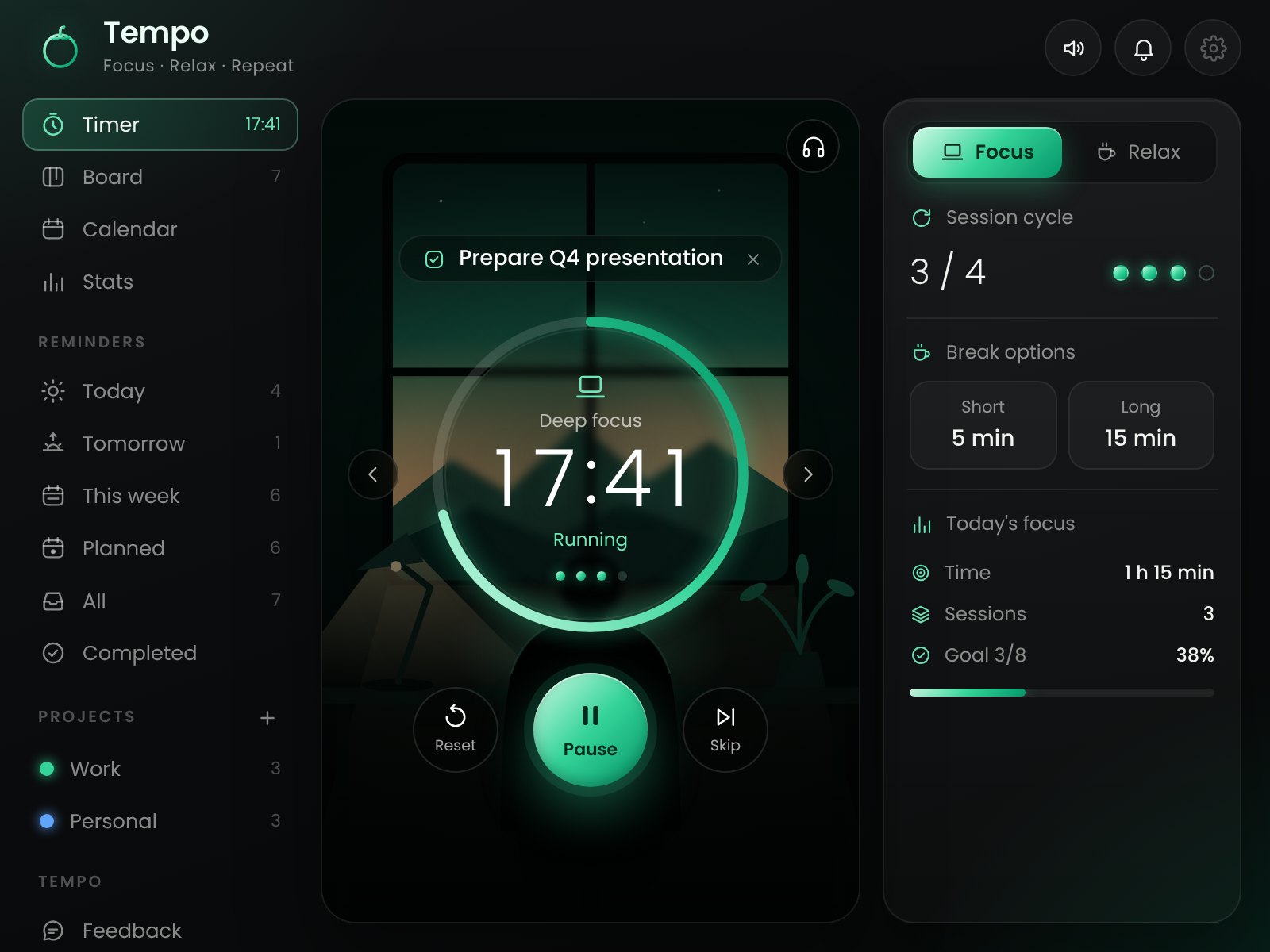
25 minutes where it's just you and your work.
Hit Start and the interface turns into a scene built for concentration. Close the window if you like: the timer keeps going and the minutes stay on the icon.
- Link a reminder and work on that alone
- Lo-fi music one click away, whenever you want
- A ring tells you when you're done
A real break, not a scroll.
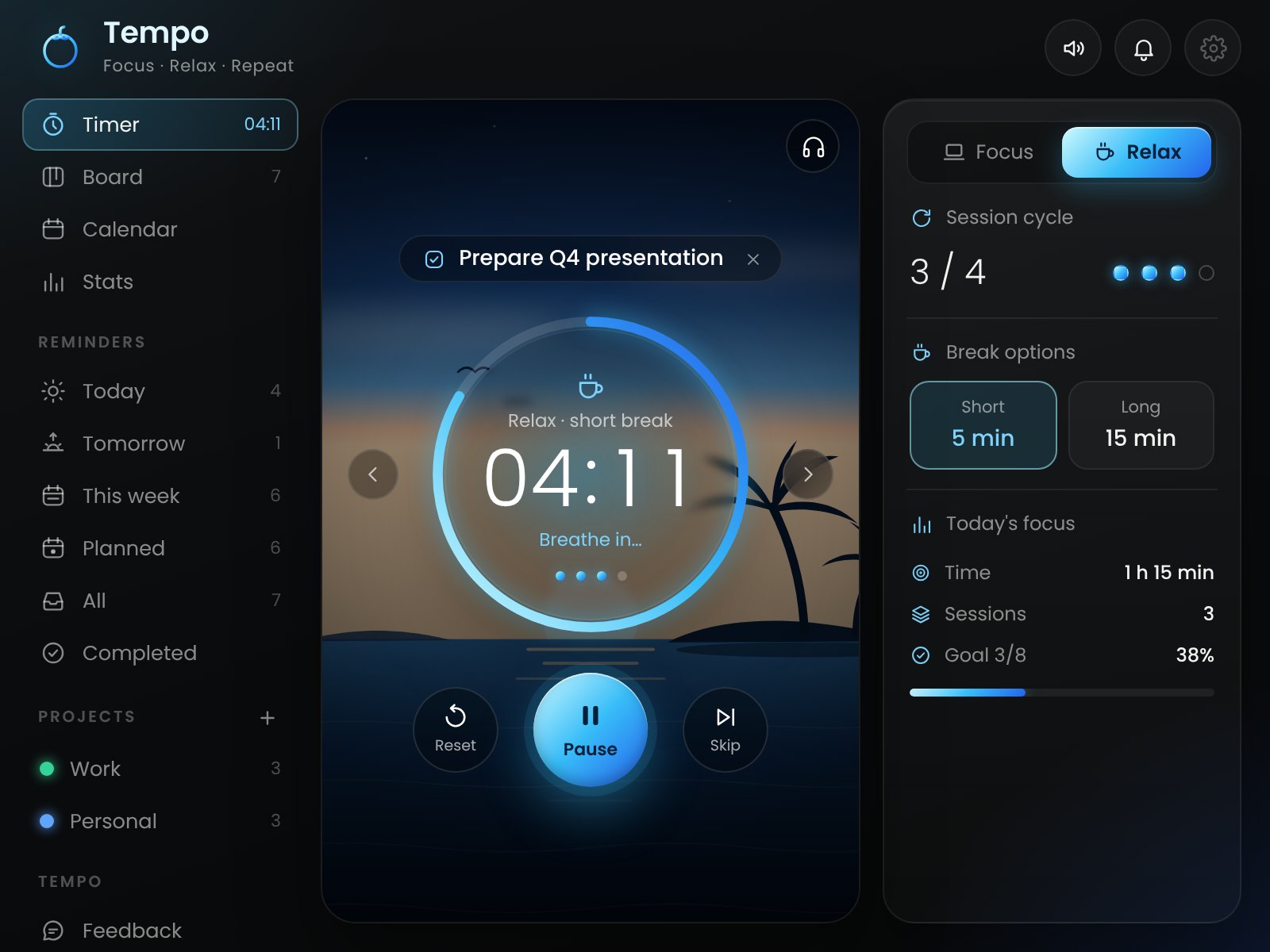
When focus ends, everything turns blue. A sunset over the sea and a growing circle guide you: breathe in, breathe out. Five minutes later you're back, clear-headed.
- Relax starts on its own, no need to remember
- A long break every 4 sessions
- Use your favorite photo as the background
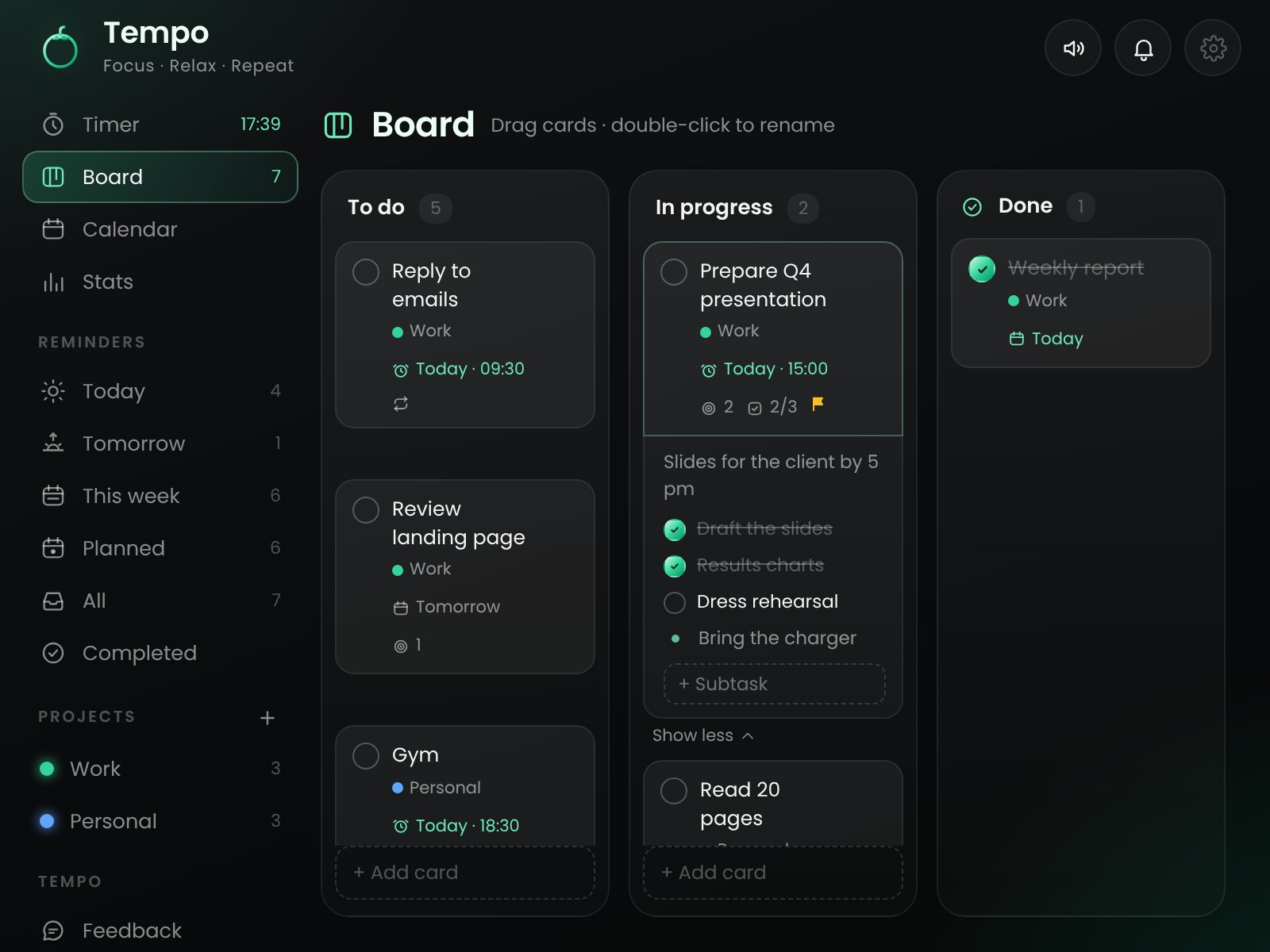
See everything at a glance. Move anything with one gesture.
Trello-style columns: To do, In progress, Done. Drag a card and watch the work move forward. Open "Show more" and tick off subtasks without switching screens.
- Create the columns you need
- Subtasks and notes inside every card
- Every completion gets its own ding
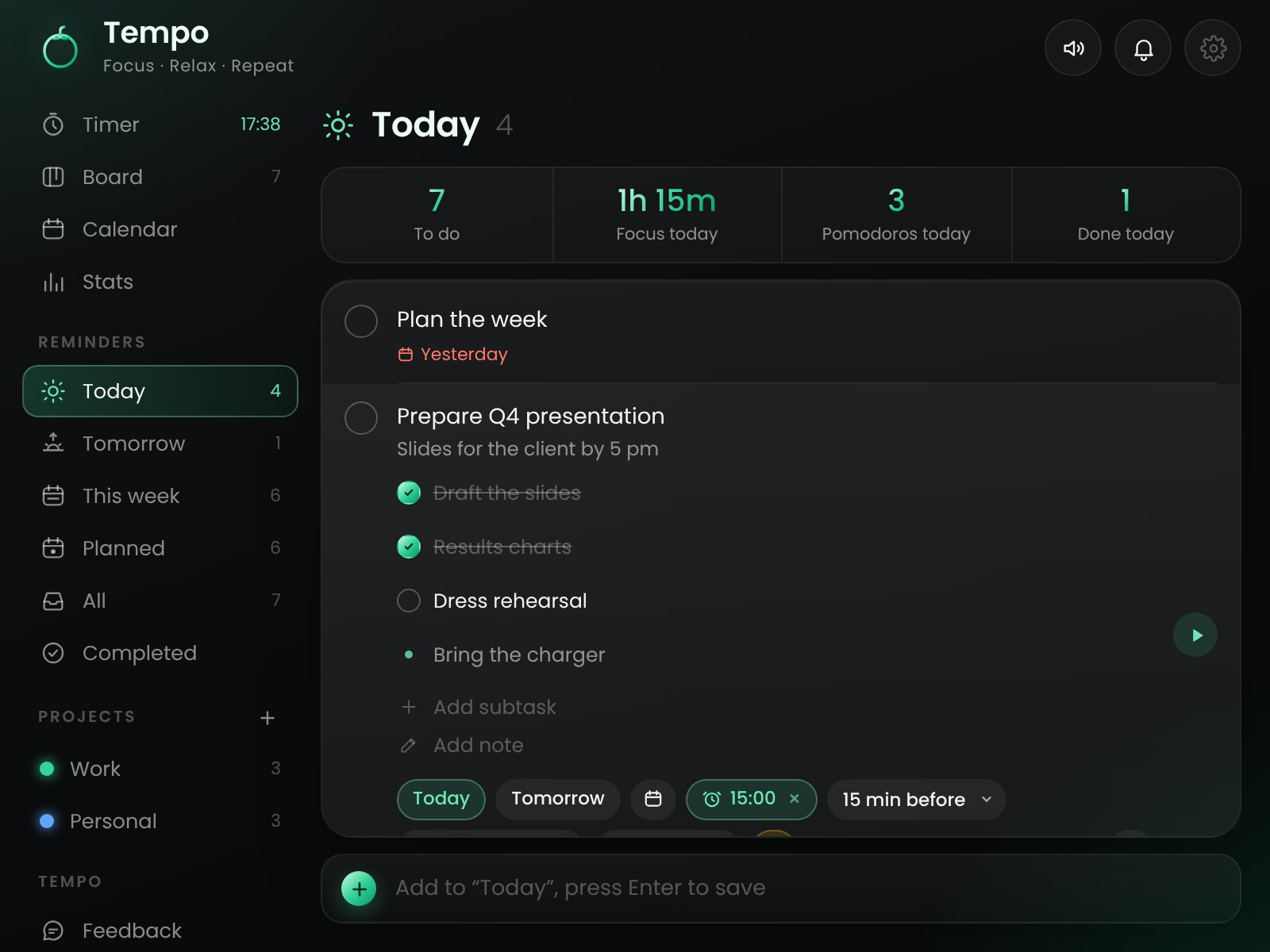
It alerts you right on time. Even for the thing you forgot.
Pick the time and when you want the alert: on time, 15 minutes before or the day before. Repeat daily, weekly or monthly. You focus on the work, Tempo remembers for you.
- Smart lists: Today, Tomorrow, This week
- Colored projects to keep work and life apart
- Snooze 10 minutes right from the notification
On Friday night you'll know exactly what you got done.
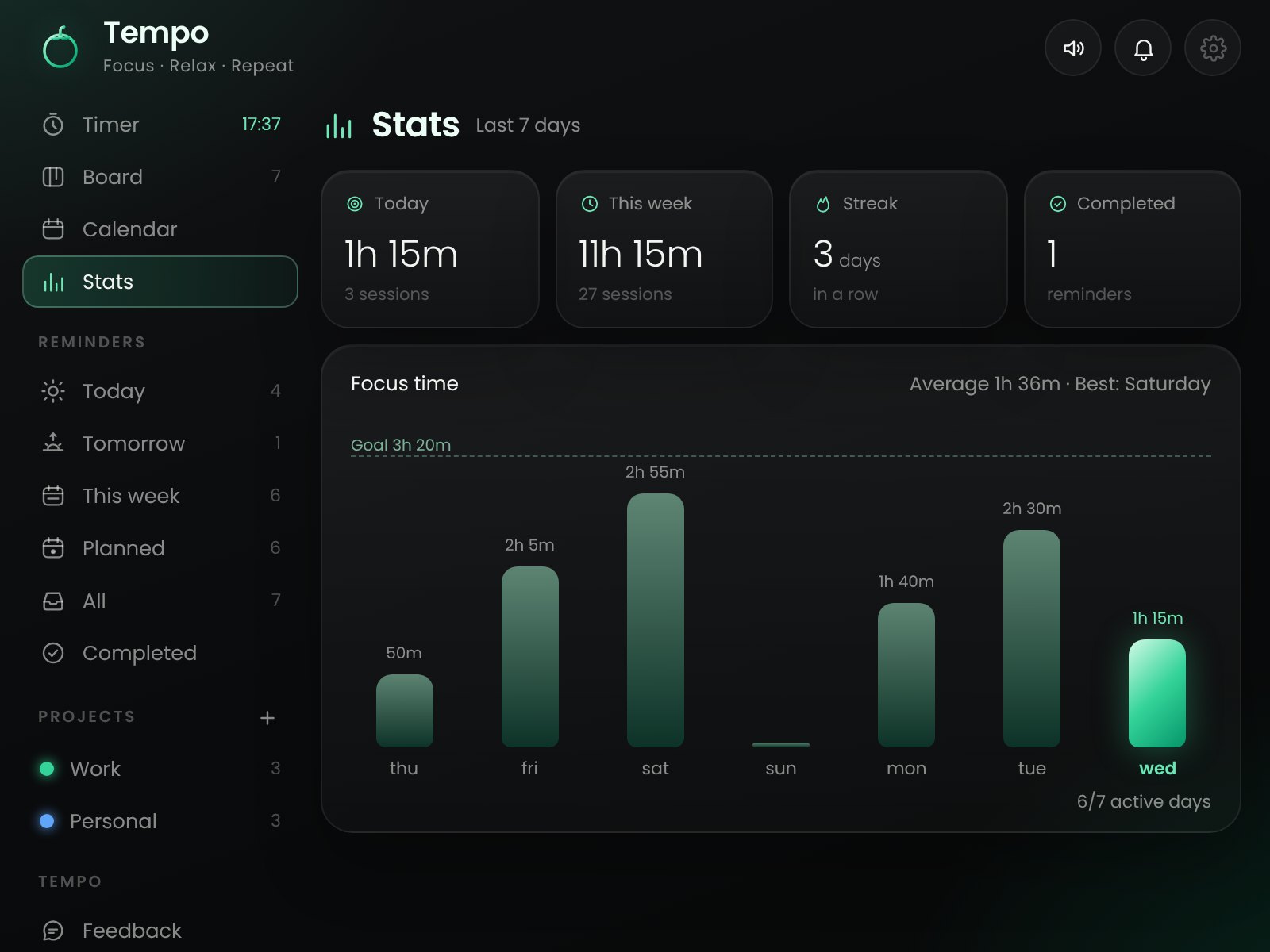
Focus time, sessions completed, streaks. The weekly chart shows your progress, and watching yourself grow is the strongest motivation there is.
- Daily session goal
- Day streaks
- Calendar with your most productive days
The little things that make
a difference every day.
Recurring reminders
The Monday report recreates itself. You just tick it off.
Subtasks and notes
Break big projects into small steps. Much easier to get started.
Ring and notifications
Always know when to stop and when to start again, even with the window closed.
Focus music
Your lo-fi playlist starts when you start working.
Four premium themes
Emerald, Gold, Sun, Ocean. Pick the one that makes you want to open it.
Your backgrounds
Your sea, your mountain, your dream desk behind the timer.
One-click backup
Save everything to a file and restore it on any computer.
Resizable window
Open Tempo in a window you can resize and move with your mouse. It remembers the size.
From click to first pomodoro
in under two minutes.
Add Tempo to Chrome
One click from the Chrome Web Store. No sign-up, no card, no email.
Write down what to do
Jot down today's tasks. Give the important ones a time and let Tempo remind you.
Hit Start
25 minutes of focus, 5 of relax. Repeat. At the end of the day, see how much you really did.
Your day today
- You start without knowing where to begin
- Every notification steals 20 minutes
- You remember deadlines after they've passed
- A break turns into half an hour of scrolling
- In the evening you feel like you got nothing done
Your day with Tempo
- You open Chrome and know right away what to do today
- You work in 25-minute blocks, without distractions
- An alert reaches you before it's too late
- Breaks actually recharge you
- In the evening you see in black and white how much you did
No account. No tracking. No servers.
Your tasks, notes and stats stay saved in your browser, on your computer. Tempo doesn't send them to anyone: not to us, not to third parties. Read everything in the privacy policy.
Before you ask.
Is Tempo really free?
Yes. Install it and use every feature, with no subscription and no credit card.
Do I need an account?
No. Install it and it works right away. Your data stays in your browser.
Does the timer stop if I close the window?
No. The timer keeps running in the background, you see the minutes left on the icon, and when the session ends you get a ring and a notification.
Can I change the session length?
Sure. Focus, short break, long break, sessions per cycle and daily goal are all in the settings.
Does it work on my phone?
Tempo is a Chrome extension for computers (Mac, Windows, Linux, ChromeOS). Chrome on phones doesn't support extensions.
What happens to my data if I update or switch computers?
Updates don't touch your data. If you switch computers, export a backup in one click and import it on the new one.
Which languages is it available in?
English, Italian and Spanish. Tempo automatically uses your browser's language, and you can change it anytime in the settings.
Does it work in other browsers?
Tempo is built for Google Chrome. It usually works in Chromium-based browsers like Edge or Brave too, installed from the Chrome Web Store.
Your next pomodoro
starts in two minutes.
Install Tempo, write down the first thing to do and hit Start. You'll thank us tonight.
Add to Chrome, it's free